Tip on what's fair,
not what's inflated.
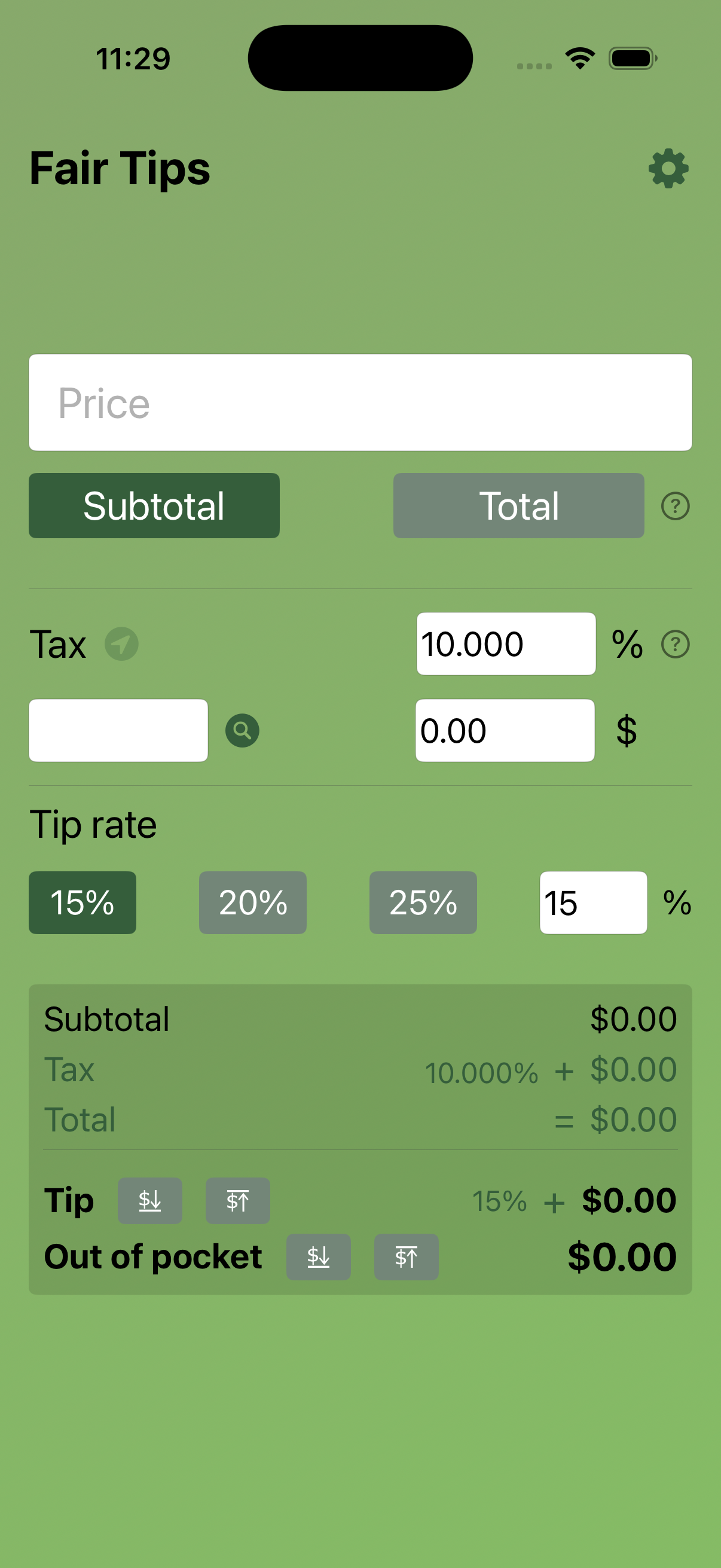
Fair Tips detects your local sales tax rate automatically — so you always tip on the pre-tax total, the way it was meant to be.
How It Works
Three steps to a fair tip
No spreadsheets. No mental math. Fair Tips handles the tax so you can focus on enjoying your meal.
Enter your bill
Type in the total shown on your receipt — including tax for now. Fair Tips will separate it out.
Detect your tax rate
The app reads your GPS location or lets you type a zip code to look up the exact local sales tax rate.
Pick your tip %
Choose 15%, 18%, 20%, or a custom amount — always applied to the pre-tax subtotal only.
See the breakdown
A clean summary shows subtotal, tax, tip, and the final total — transparent, accurate, and fair.
Features
Built for accuracy,
designed for simplicity
Feature 01
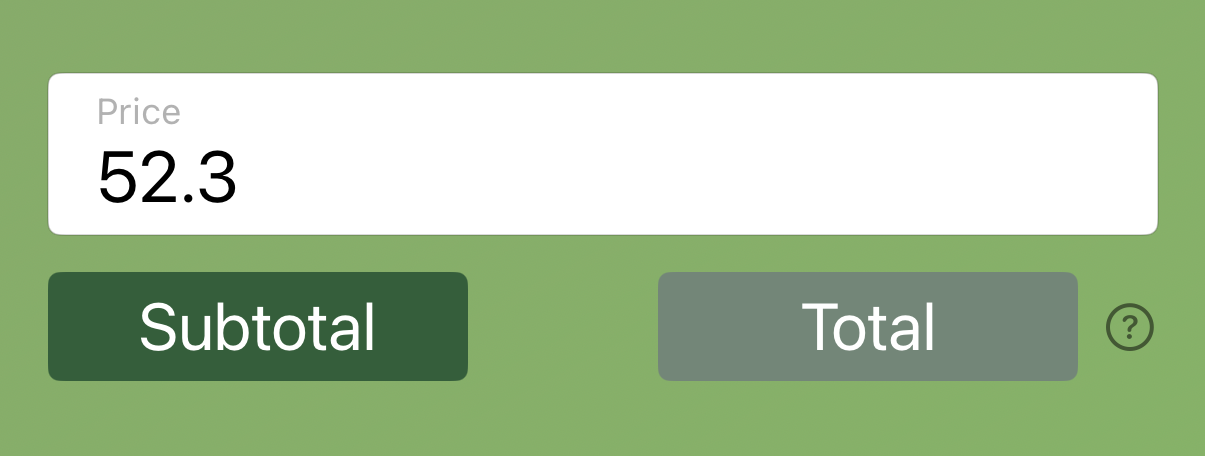
Enter any bill amount in seconds
A clean, distraction-free input makes entering your bill amount fast and error-free. Large numerals, a friendly keypad, and immediate feedback — no hunting through menus.
Feature 02
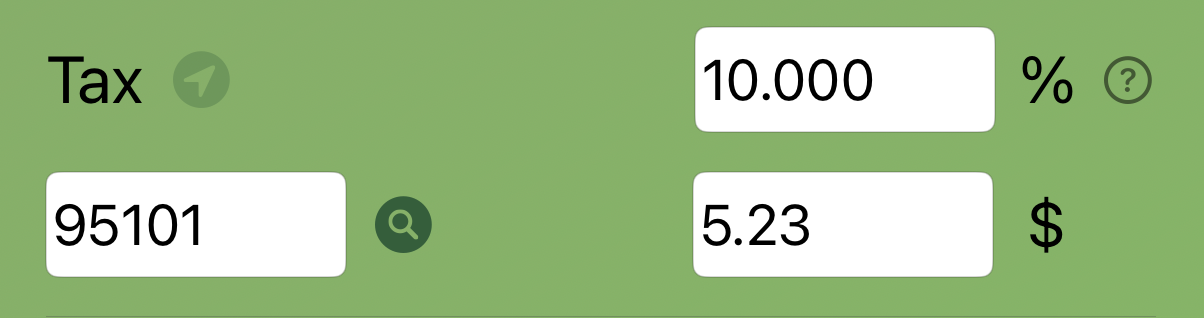
Automatic local sales tax detection
Fair Tips uses your device's location to pull the exact combined sales tax rate for your city, county, and state. No database to maintain — always current. Prefer privacy? Just type your zip code instead.
Feature 03
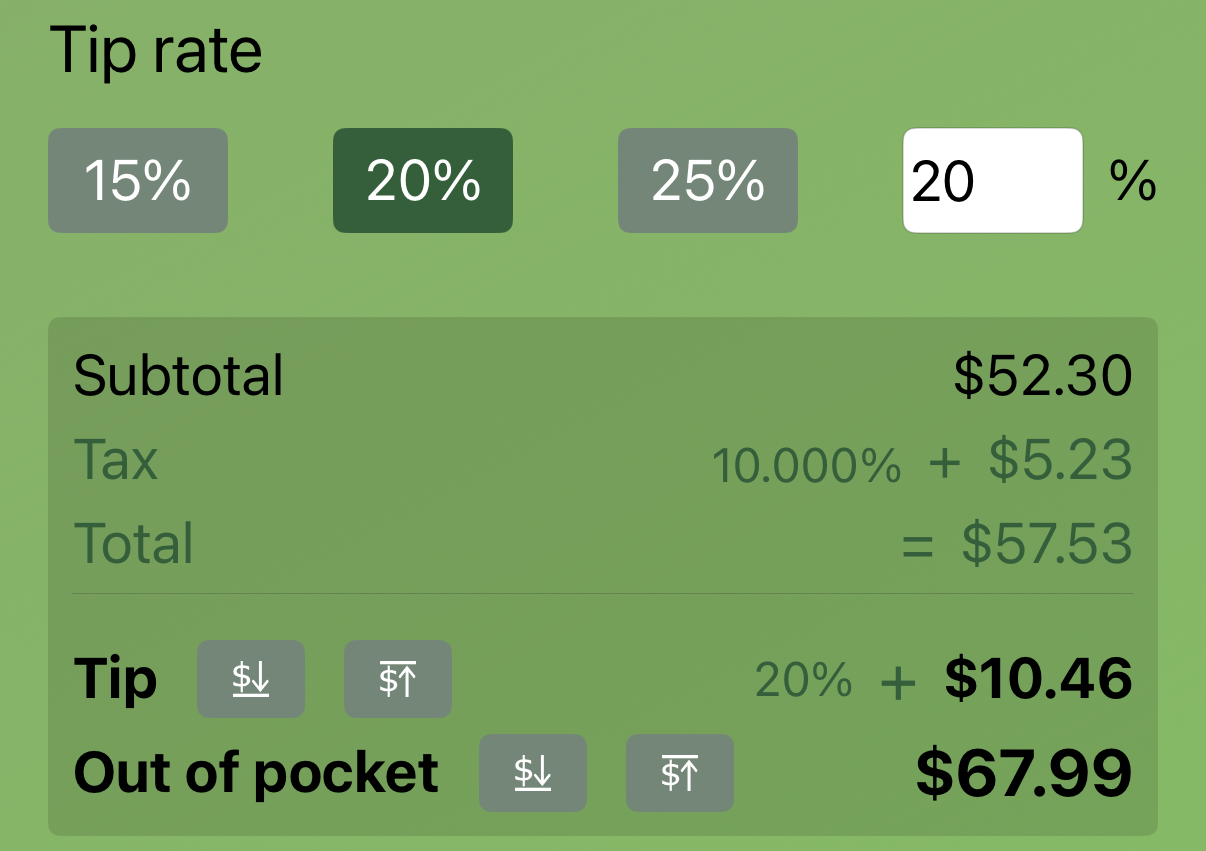
Crystal-clear tip summary
See every line item at a glance: pre-tax subtotal, the sales tax amount, your chosen tip, and the final total to pay. Share the breakdown with your tablemates or screenshot it for your records.
Why Fair Tips
Thoughtful by design
Location-aware
Instantly fetches the combined sales tax rate — state, county, and city — for wherever you're dining.
Pre-tax calculation
Tips are always computed on the pre-tax subtotal, so you're tipping on what you actually ordered.
Privacy first
Location data is used only in the moment to look up your tax rate. Nothing is stored or shared.
Stop tipping on your tax.
Fair Tips is free to download. Start calculating honest tips today.
Download on the App Store